
Paper, Spreadsheet, or App: Three Ways to Run a Budget

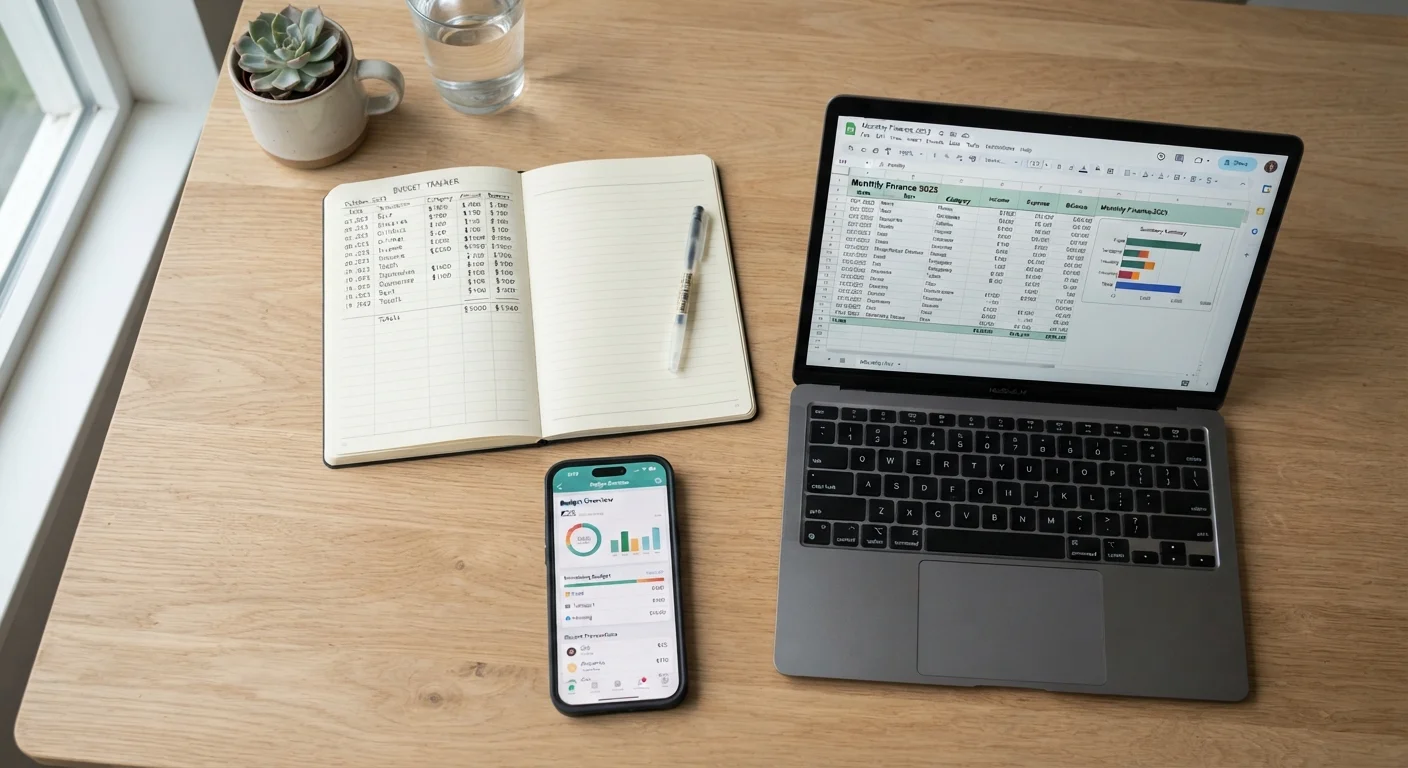
There's no single right tool for budgeting. This comparison looks at manual, spreadsheet, and app-based approaches so you can match the method to your habits.
Our Verdict
Paper, spreadsheets, and apps each get the core job done. The difference is in how much manual work you want to do and how comfortable you are sharing financial data digitally. Match the tool to the way you actually behave, not the way you intend to behave.
| Best for | Recommended |
|---|---|
| People who prefer writing things down or want zero digital setup | Paper |
| Those who want full customization and already use a computer regularly | Spreadsheet |
| Busy households that want automated transaction tracking | App |
Why the tool matters less than the habit
A budget is a plan for your money: income comes in, you decide where it goes, and you check whether reality matched the plan. That process works on paper, in a spreadsheet, or through an app. What breaks it is not a bad tool but an abandoned one.
Understanding what a budget actually does is worth doing before you pick a format. Once you know the mechanics, choosing a tool becomes a practical question about your daily routines rather than a search for the perfect system.
The comparison below covers what each method costs, how much effort it takes to set up and maintain, what can go wrong, and who tends to get the most out of it.
Paper budgeting
Writing a budget by hand means listing your income, writing out your spending categories, and recording what you spend as you go. Some people use a dedicated notebook; others print a simple template each month.
The cost is near zero. The setup takes about 20 minutes the first time. There are no accounts to create, no software to learn, and nothing that can crash or log you out.
The main limitation is arithmetic. Every total has to be calculated manually, and if you spend in many categories or have irregular income, the page can get messy fast. Paper also has no automatic backup, so a lost notebook means lost records.
Envelope budgeting pairs naturally with a paper setup because both methods rely on physical or written records rather than automatic syncing.
Paper tends to work best for people with straightforward finances: a regular paycheck, a small number of spending categories, and a preference for tactile record-keeping.
Spreadsheet budgeting
A spreadsheet budget lives in a program like Google Sheets or Microsoft Excel. You build the structure yourself or start from a free template, enter your income and expenses, and use formulas to calculate totals and balances automatically.
Setup takes longer than paper, typically an hour or two if you build from scratch. After that, monthly maintenance is mostly data entry. Because formulas do the math, there is less room for arithmetic errors, and you can add charts or summary views if that helps you see patterns.
Start simple, then add detail
If you are new to budgeting, begin with five or six broad categories rather than twenty specific ones. A simpler structure is easier to maintain, and you can always break categories down later once the habit is in place. The goal in the first month is to finish the month with a complete record, not a perfect one.
The tradeoff is flexibility versus friction. A spreadsheet can be as simple or as detailed as you want, but you still have to enter every transaction yourself. If you go two weeks without updating it, catching up can feel like a chore, and some people stop doing it.
Spreadsheets work well for people who already spend time at a computer and want to track their numbers their own way. They are also a good fit for couples who want a shared document both can access. Budgeting as a couple introduces additional variables that a shared spreadsheet can accommodate without much extra cost.
App-based budgeting
Budgeting apps connect to your bank and credit card accounts and pull in transactions automatically. You assign categories, set spending limits, and the app shows you where you stand in near real time.
The main advantage is reduced manual work. You do not have to type in every coffee purchase or gas fill-up. Many apps also send alerts when you approach a category limit, which can catch overspending before it happens.
The tradeoff is privacy and cost. Most apps require you to share your bank login credentials or connect through a data aggregator. Free tiers exist, but fuller features often require a monthly or annual subscription. There have also been cases where apps experienced data breaches, so it is worth reading an app's privacy policy before connecting accounts.
Apps suit people with busy schedules who want automation to do the tracking. They can be less useful for people who pay mostly in cash, since cash transactions still have to be entered manually. Setting up a monthly budget from scratch covers the underlying structure that any of these tools will need to reflect.
Comparing the three approaches
| Criterion | Paper | Spreadsheet | App | |
|---|---|---|---|---|
| Setup time | Paper | 20 minutes | 1 to 2 hours | 15 to 30 minutes |
| Monthly upkeep | Paper | Manual, low volume | Manual data entry | Mostly automatic |
| Cost | Paper | Near zero | Free to low | Free to $10+/month |
| Math accuracy | Paper | Manual, error-prone | Formulas reduce errors | Calculated automatically |
| Privacy exposure | Paper | None | None | Bank credentials required |
| Good for cash spending | Paper | Yes | Yes | Partial |
| Works offline | Paper | Yes | Yes (desktop) | Often no |
If none of these feels right on its own, combining them is an option. Some people track daily spending on paper and transfer totals to a spreadsheet at the end of the week. Others use an app for transaction history but keep a separate note for irregular expenses the app misses.
Percentage-based budgeting is one framework that translates easily into any of these formats, so if you are deciding on both a structure and a tool at the same time, that article is worth reading alongside this one.
This article is for general informational purposes only and does not constitute personalized financial advice. For guidance specific to your situation, consider speaking with a licensed financial professional.
The content on this site is for informational purposes only and is not a substitute for professional advice. Always consult a qualified professional for guidance specific to your situation.