
How Streaming Sticks and Smart TVs Differ (And When It Matters)

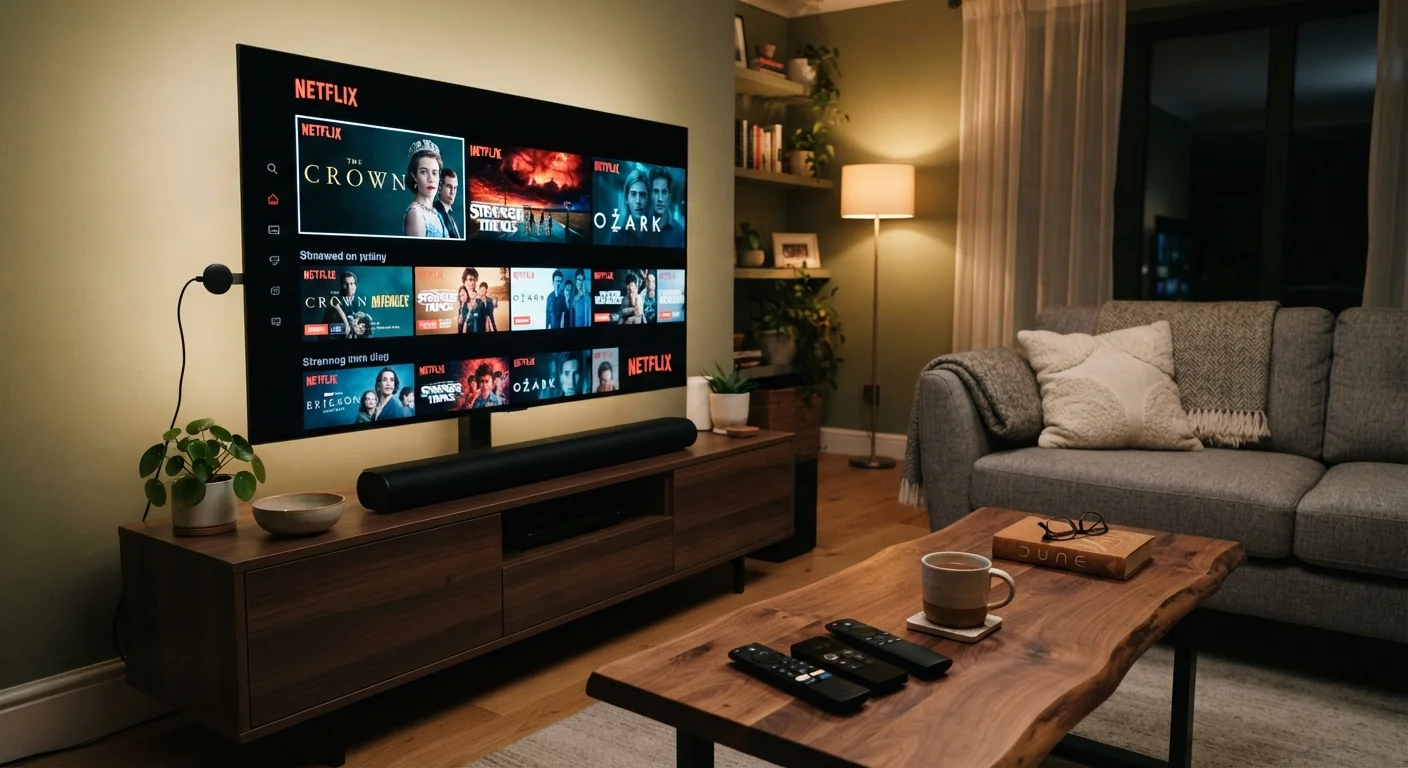
A streaming stick and a smart TV can do similar things, but they're not the same. Here's a clear comparison to help you understand what you already have.
Our Verdict
Smart TVs and streaming sticks deliver the same core function: access to streaming services on your television. The meaningful difference is flexibility. A streaming stick lets you update or swap the software layer without replacing the screen, which matters most when a TV's built-in system ages poorly. A smart TV alone works well when you want fewer devices and a clean setup, and when the built-in platform stays responsive.
| Best for | Recommended |
|---|---|
| People with an older or non-smart TV who want streaming without buying a new set | Streaming stick |
| Those whose smart TV's built-in software has become slow or dropped app support | Streaming stick added to the existing TV |
| Anyone setting up a new TV and wanting the fewest possible devices | Smart TV alone |
| People who move frequently or want to bring streaming to different screens | Streaming stick |
Key takeaways
- A smart TV has streaming software built into the television itself, while a streaming stick is a separate device you plug into any TV's HDMI port.
- Streaming sticks are easier to upgrade when apps or software feel outdated, because you replace only the stick.
- Smart TVs reduce the number of devices and remotes you need, which suits people who want a simpler setup.
- A slow or outdated smart TV's software can degrade the viewing experience even when the screen itself still looks great.
- Either option requires a reliable Wi-Fi connection to stream video without interruption.
What each one actually is
A smart TV is a television with internet connectivity and streaming software built into the set itself. You turn it on, connect it to Wi-Fi, and apps like Netflix or YouTube appear directly on the screen with no extra hardware required.
A streaming stick is a small dongle, roughly the size of a USB thumb drive, that plugs into an HDMI port on any television. It runs its own operating system and connects to Wi-Fi independently. To the TV, it looks like any other video source, the same as a cable box or game console.
Both let you watch streaming content on your TV. The difference is where the software and processing actually live: inside the television, or inside the stick.
How they handle software updates and app support
This is where the two options diverge most noticeably over time. Streaming sticks get software updates from their manufacturer separately from your television, and manufacturers tend to support newer sticks for several years. When support ends, you replace the stick, not the TV.
Smart TVs are more complicated. TV manufacturers vary considerably in how long they push software updates to older models. A television with a gorgeous 4K screen can end up running a sluggish or outdated streaming interface within a few years of purchase, and there is usually no way to upgrade just the software layer. Some apps stop supporting older smart TV platforms entirely, which can leave you unable to install a streaming service even though the screen works perfectly.
Adding a streaming stick to a smart TV is a common fix for exactly this situation. You plug the stick into the TV's HDMI port, switch inputs, and the stick's fresher software handles all the streaming. The TV becomes a display.
| Streaming stick | Smart TV (built-in) | |
|---|---|---|
| Hardware location | Separate dongle in HDMI port | Built into the television |
| Software upgradability | Replace stick when outdated | Cannot upgrade without new TV |
| Portability | Fits in a pocket, works anywhere | Fixed to the television |
| Number of devices | TV plus stick | TV only |
| Remote control | Own remote, CEC may help | Single TV remote |
| App support longevity | Tied to stick manufacturer | Tied to TV manufacturer |
| Setup complexity | Low, plug in and follow prompts | Low, configure during TV setup |
Setup, remotes, and day-to-day use
A smart TV alone keeps things simple. There is one device, one remote, and one thing to turn on. For people who find multiple remotes or input-switching annoying, that matters.
A streaming stick adds a step: you need to switch the TV's input source to the HDMI port the stick is using. Some sticks ship with their own remote, which means two remotes unless your TV supports HDMI-CEC (a feature that lets devices on the same HDMI connection share control signals). With CEC enabled, many streaming stick remotes can also control TV volume and power, which reduces the friction.
Setup difficulty is low for both. A smart TV walks you through Wi-Fi and account sign-in during initial setup. A streaming stick takes roughly the same steps but requires plugging into an HDMI port first and sometimes connecting a USB power cable. Neither requires technical knowledge to get running.
For anyone who travels or rents, a streaming stick has one clear advantage: it is portable. You can carry it and plug it into any HDMI-equipped TV in a hotel room or a new apartment. A smart TV's built-in system obviously cannot move with you. See also: when to rely on Wi-Fi versus mobile data, since a portable stick still depends on a network connection wherever you take it.
When it actually matters which one you use
If you have a TV purchased in the last two or three years with an actively updated platform, the built-in smart TV software is probably sufficient. Adding a streaming stick would be redundant for most people in that situation.
If your TV is older, or if you notice that apps load slowly, crash often, or are unavailable, a streaming stick is a practical solution that does not require buying a new television. The trade-offs that come with adding smart devices to your home are worth understanding before you commit to any new hardware, even something as small as a stick.
If you own a non-smart TV (a basic display with no internet features), a streaming stick is the most affordable way to add streaming capability without replacing the screen.
One thing neither option changes: both require a stable Wi-Fi connection. A slow or unreliable network will cause buffering regardless of which device is doing the streaming. If your connection is inconsistent, that is worth addressing before attributing the problem to the TV or stick itself.
The content on this site is for informational purposes only and is not a substitute for professional advice. Always consult a qualified professional for guidance specific to your situation.