
App Permissions on Your Phone: A Plain-Language Field Guide

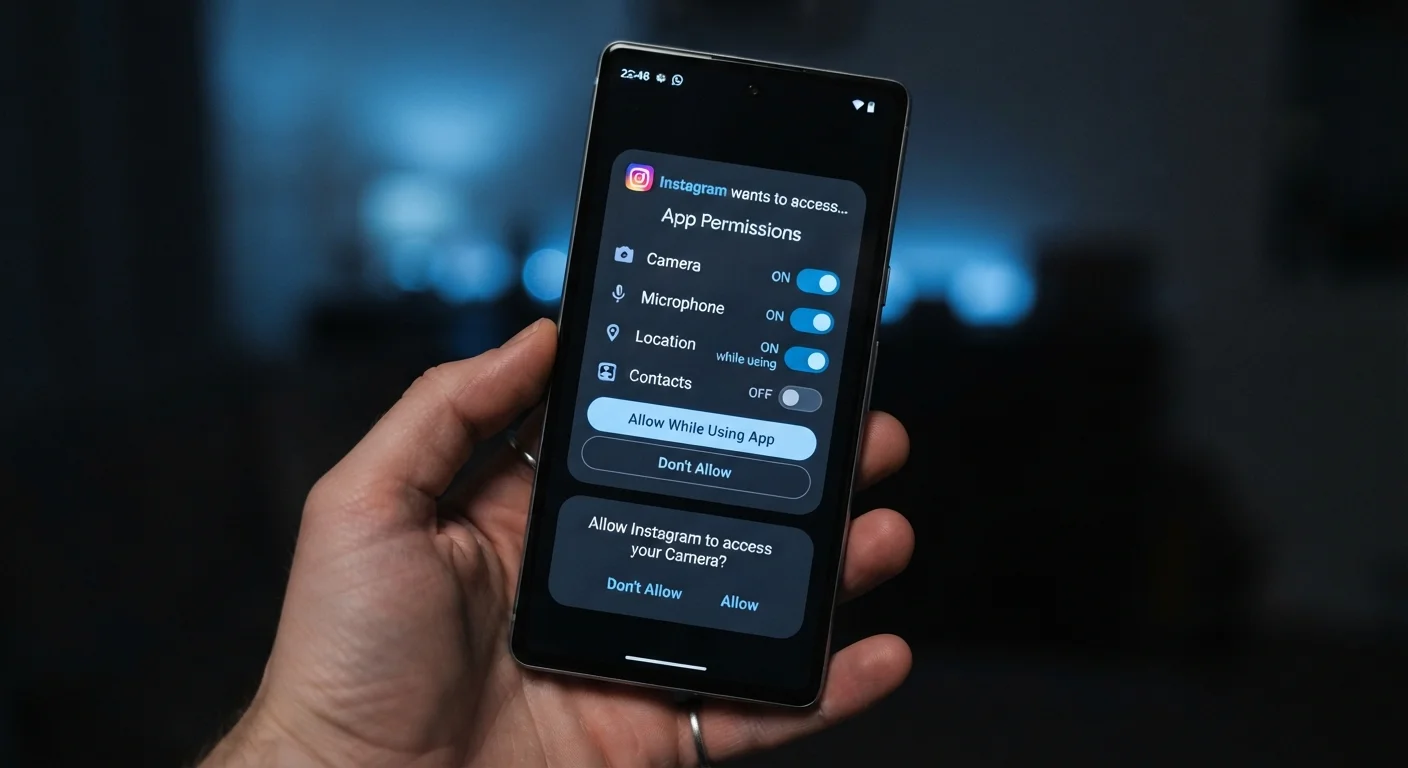
Camera, microphone, location, contacts: understand what each app permission actually grants and when it's reasonable to allow or deny it.
What app permissions actually are
When you install an app and it asks to access your camera, location, or contacts, it is requesting a specific gateway into your phone's hardware or stored data. The operating system (iOS or Android) acts as a gatekeeper, and the permission dialog is its way of asking whether you consent to open that gate.
Granting a permission does not give an app unlimited access to your device. It grants access to one defined resource. Camera permission, for example, lets the app open your camera and capture images or video. It does not let the app read your text messages or browse your files.
Permissions are grouped into categories. Some are granted automatically when an app installs because they carry very low risk (accessing the internet, for instance). Others require your explicit approval because they touch sensitive data or hardware. This guide focuses on that second group, the ones where your choice matters.
If you want to see which permissions you've already granted, check your phone's settings app. On Android, look under Apps, then select an app and tap Permissions. On iPhone, go to Settings, scroll to any app, and its permissions appear there. You can also see a reverse view: on iPhone, Settings > Privacy & Security lists each permission type and all apps that have requested it. Android offers a similar view under Privacy > Permission manager.
For a broader look at the settings worth auditing on your phone, see our phone privacy settings guide.
The most common permissions, explained plainly
App permission
A specific type of access an app requests to a phone's hardware or stored data, such as the camera or location. The user must approve or deny each category.
Precise location
GPS-based location data accurate to within a few meters. It pinpoints exactly where a device is, as opposed to approximate location, which uses nearby network signals and is accurate only to a city or neighborhood level.
Background access
A setting that allows an app to use a permission (most commonly location) even when the app is not open on screen. This is different from 'while using the app' access, which stops when you leave the app.
Permission manager
A section of the phone's settings that lists every permission category and shows which apps have been granted or denied access. Both iOS and Android have one, though it appears under slightly different menu names.
One-time permission
An option on both iOS and Android that grants an app access to a resource for a single session only. The app must request the permission again the next time it needs it.
Approximate location
A lower-precision location estimate based on Wi-Fi networks and cell towers rather than GPS. It typically places a device within a few miles, not a few feet, and is sufficient for features like local weather.
Below is what each permission actually does and when it is reasonable to allow or deny it.
Location
This permission lets an app know where your device is, either precisely (GPS-level accuracy) or approximately (based on nearby Wi-Fi networks). Both Android and iOS let you choose between precise and approximate, and you can limit access to only while the app is open rather than always-on. Maps and weather apps have a genuine reason for this. A flashlight app does not.
Camera
Camera access lets an app activate your phone's camera to take photos or video. Video calling, QR code scanners, and photo editors all need this. A podcast app asking for camera access should prompt a pause before you tap allow.
Microphone
Microphone access lets an app listen through your phone's mic. Voice assistants, phone-call apps, and voice-to-text tools all need it. Social apps sometimes request it to support video or voice features. If you never use those features within a specific app, denying microphone access generally will not break anything you use.
Contacts
This grants read access to the names, phone numbers, and email addresses in your address book. Messaging and email apps have a clear reason for this. Other apps may request it to help you find friends who also use the service. That is a legitimate use, but it also means your contacts' information (people who never agreed to anything) gets uploaded to that company's servers.
Photos and media
On iPhone, you can grant access to all photos, selected photos, or none. Android has a similar tiered option. This matters because many apps request full photo library access when they only need the ability to let you pick one image to upload. Choosing "selected photos" limits exposure without breaking the feature.
Notifications
Notifications are not hardware access, but they are one of the most consequential permissions. An app with notification access can send you messages at any time. Granting this to every app quickly produces an overwhelming stream. Deny it by default and enable it only for apps where timely alerts genuinely matter to you.
A practical decision framework
Before tapping allow on any permission request, consider two questions. First, does this feature require this resource to work? A shopping app needs camera access if you want to scan barcodes, but not to browse its catalog. Second, what is the worst plausible outcome if the app misuses this access? Location data shared with a data broker can build a detailed picture of your daily movements over time. Contacts shared with a poorly secured server can expose your address book to breaches.
When an app requests a permission you do not recognize as necessary, you have several options. You can deny it outright. You can allow it once (an option both iOS and Android offer) to see whether the feature you want actually needs it. You can also allow it, use the feature, then revoke the permission immediately afterward through settings.
Android lets you set many permissions to "Ask every time," which means the app must re-request each session. This adds a small friction but keeps you aware of what is active. iOS handles this differently: apps that have not used a permission in a while may have it automatically revoked.
Background access, especially for location, is worth reviewing separately. Many apps default to requesting always-on location when they only need it while in use. Switching these to "While using the app" is a simple change that meaningfully limits passive data collection. Our guide on background app tracking covers this in more depth.
Social media apps in particular tend to request more than they functionally need. Our social media privacy settings walkthrough covers which toggles matter most there.
The content on this site is for informational purposes only and is not a substitute for professional advice. Always consult a qualified professional for guidance specific to your situation.